
 Paint on wood
 Round canvases
 Black canvases
 Mini canvases


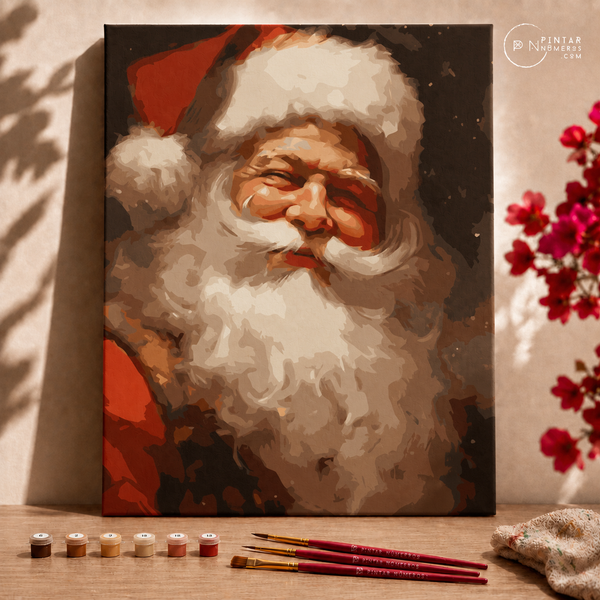
 Paint on wood
 Round canvases
 Black canvases
 Mini canvases


Your cart is empty
Already have an account? Log in to check out faster.

By theme
 Flowers
 Abstract
 Cities and houses
 Portraits
 Landscapes and nature
 Sea and beach
 Doors and windows
 Famous art
 Animals
 Charming corners
 Autumn
→See all
Unique and special formats

By theme
 Flowers
 Abstract
 Cities
 Portraits
 Landscapes
 Sea and beach
 Doors
 Famous art
 Animals
 Cosy corners
 Autumn
→See all
By level
Unique and special formats
Shortcuts
Books to paint, page by page
 Pintar Números book - Wonders of the World29,95 €
 Pintar Números book - Landscapes and nature29,95 €
 Pintar Números book - Flowers29,95 €
 Pintar Números book - Iconic artworks29,95 €
Your photo, turned into a painting to paint
We check your photo for free before we make it.
Create mine ›Everything to make painting easier
 Acrylic markers - Set of 3619,95 €
 Professional brush set24,95 €
 Number-eraser pen5,99 €
 Wooden Easel14,95 €
 Floating frame30,00 €
 Magnifying glass5,95 €
Subscription · cancel anytime
A surprise canvas delivered every month
You choose the theme, we choose the painting. €25/month.



Already have an account? Log in to check out faster.
We can work with almost any photo, but a good photo makes a much better painting. In two minutes you'll know if yours is ready.
 Natural light · Sharp · Close up
By a window or outdoors. Flash flattens the face and creates harsh shadows.
It should look in focus when you zoom in. Avoid blurry photos or heavy filters.
Big faces in the frame. If the person looks small, the painting loses detail.
The more people, the smaller the faces. For groups, choose a larger canvas.
Avoid backlighting and shadows from caps, fringes or trees on the face.
Upload the original file from your phone or camera, not a screenshot or a photo you received by message, as it loses quality.

Soft light, sharp and close up. You can clearly see the eyes, the smile and the skin tones.

When enlarged the features get lost and the painting looks lifeless.

In poor light the skin looks flat and the nuances disappear.

Flash burns out the skin and leaves harsh shadows under the face.

The faces are tiny and there's no detail to paint.
Stand by a window or in bright shade. Avoid direct sun and flash.
Move closer yourself rather than using your phone's zoom, which enlarges pixels and loses detail.
Tap the screen on the face, hold steady and ask everyone to keep still.
Take five or six and keep the sharpest one with the best expression.
Leave some space around. We fit your photo to the canvas proportions, so don't crop the head too tight.

A large, well-lit face, ideally looking at the camera. The eyes are the first thing people notice.
36 colours40 × 50 cm
Up to 2–3 people, close together and at the same distance. For the perfect hug, go one size up.
36–48 colours50 × 60 cm
Take the photo at their eye level with the eyes in focus. A simple background helps a lot.
24–36 colours40 × 50 cm
A straight horizon, a sky with nuance and plenty of light. Perfect for remembering a special place.
24–36 colours40 × 50 cm
Scan it or photograph it straight on, in soft light with no reflections. Black and white looks elegant.
Black and white36 coloursTick what your chosen photo meets. In 30 seconds you'll know if you can upload it now.
Tick what your photo meets. If you're unsure about any point, we'll check it for free.
The more people or detail, the bigger it should be. All come mounted on a wooden frame.
For 1–2 people, pets and landscapes. Our customers' favourite size.
Wooden frame includedBigger faces and more nuance in skin and backgrounds.
Wooden frame includedMade to shine in your living room. Maximum detail in every face.
Wooden frame includedStill not sure? Send your photo to info@pintarnumeros.com and we'll check it for free.
You can scan it or photograph it straight on, in soft light with no reflections. Send it to info@pintarnumeros.com and we’ll tell you if it will work.
You can, but the faces will be smaller. Choose 50 × 60 or 60 × 70 cm and 48 colours, or email us and we'll look at it together.
It's best to upload the original photo, without filters. If you'd like black and white, choose that format when you order.
Yes, always and for free. If something isn't right, we'll let you know the same day and find a solution.
Yes. You can pick it from your gallery or take it on the spot.
We'll tell you before we start and help you choose another or improve the one you have.
If something isn't right, we'll tell you before we start.
Upload my photo Free photo check